3-month package
Short term, instant viewing
39,95 €
That is 13,32 € per month
- All 50,000+ live channels included
- 200,000+ films plus series ready to play
- 7-day TV archive for missed shows
From 5,41 € per month with the 24-month package
Set your Balkan IPTV subscription up on a stick, a smart TV, a phone or a box. Your login details reach you by email, you install one of three tested apps, and you watch the same evening. This guide walks you to your first stream on each device, move by move.

One login for television, phone, tablet and computer.
Start
Three stops stand between you and your first channel. This is how your Balkan IPTV subscription setup plays out.
You first pick a term: 3, 6, 12 or 24 months. Right after your order the system prepares your login. Your sign-in details normally land within around 15 minutes by email. Keep your inbox ready and check the spam folder when needed. The first part never takes longer.
Then you install one of the three suggested apps on your device: TiviMate, IPTV Smarters Pro or IBO Player. You enter your username, password and server address. The app then loads more than 50,000 live channels and over 200,000 films plus series. The first load needs a few minutes, every later start only seconds.
Before you begin, keep three things ready: the email with your login details, a steady internet line and the device of your choice. Live sport in HD likes about 25 Mbit/s, through cable or over the 5 GHz Wi-Fi of your router. The process stays the same on all devices: install the app, enter the details, let the list load.
Login
Three values open the full line-up. Read here what they mean.
The email for your order holds three details: username, password and server address, which some apps call the portal address. Some apps also ask for a profile or list name, which you choose freely. Note all three values down, for example in a password manager, before you type on the television.
Capital and small letters count in passwords, and one swapped letter already triggers an error. So type the details letter by letter or copy them straight from the email. On a phone and a tablet copying works fastest, and on the television the display-password function of many apps helps.
No email in your inbox after 30 minutes? First check the folders for spam, promos and trash, then the spelling of your order address. Then write to support@balkansiptv.de with your order address, your device and the app you use. Replies mostly land within an hour, around the clock, even on holidays and weekends.
Stick
The Amazon stick turns any television with an HDMI port into a streaming device. Allow about ten minutes.
When the picture stutters at night, switch in the stick menu to the 5 GHz Wi-Fi or use the bundled HDMI extender for better reception. TiviMate stores several lists, in case you later add a second package for relatives. The stick thus stays the fastest fix for guests, holiday flats and second sets.
Television
On recent Samsung and LG sets you need no extra hardware. The apps wait straight in the TV store.
Older TV models load large lists more slowly, which is normal and no fault of your login. Give the first start five minutes before you change anything. Then sort channels by language and pin family favourites, so children, parents and grandparents find their shows at once.
Android
Televisions and boxes with Android TV bring the most comfort, because TiviMate shows its full strength there.
Android TV keeps your sign-in for good, so you sign in only a single time. Switch automatic list refresh on in the app settings, then the line-up almost tends itself. Boxes from Xiaomi, Nokia or Nvidia follow the same moves as televisions with Android TV.
Apple
Inside the Apple world the road leads through IPTV Smarters Pro from the App Store. Favourites move along when you use the same details.
The Apple keyboard eases typing long passwords, because you copy text straight from the mail app. Allow the app alerts only when you want hints on fresh series, it needs none for watching. You thus switch between living room and train ride with no fresh sign-in.
Mobile
On Android phones you watch within minutes, also away from home. Wi-Fi stays the first choice, the mobile network mostly does too.
Mind your data volume on the mobile network, because live TV in HD uses about one to two gigabytes per hour. Lower the playback picture in the app settings when volume runs short. For commuters between Munich, Vienna and Zurich the phone thus stays the most loyal companion.
Receiver
MAG boxes work like classic receivers and suit everyone who dislikes apps. Keep the remote and the email at hand.
When only a dark screen shows after the restart, first check the portal address for typos. Every wrong letter blocks the start of the box. On older models a software update through the settings menu also helps, and the portal mostly loads at the first try after that.
Computer
On a laptop or a desktop computer you watch with no television, for example in the home office or the kitchen. Five minutes do the job.
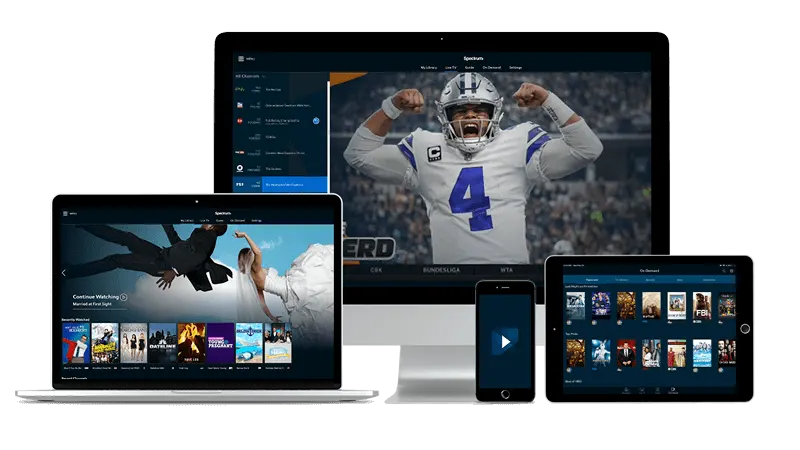
On a computer a glance at the audio settings pays off, in case sound should travel through headphones or outside speakers. Use the favourites list for your daily stations, then your homeland line-up opens at once. Keyboard shortcuts for volume and full screen speed things up even more.
Terms
Every package opens the same full line-up with more than 50,000 channels and over 200,000 films plus series. Most popular: the 12-month package for 79,95 €, which comes down to only 6,66 € per month.
Short term, instant viewing
39,95 €
That is 13,32 € per month
Half a year, half the hassle
59,95 €
That is 9,99 € per month
Most popular
One year of full calm
79,95 €
That is 6,66 € per month
Two years at the lowest rate
129,95 €
That is 5,41 € per month
All prices count once per term, with no renewal. Your login details land in your inbox by email.
Help
You fix the most common bumps within minutes. When it still fails, support by email steps in.
A typo mostly hides behind it: one swapped letter, one trailing space after copying, or mixed-up signs like zero and O. Enter all three values fresh and mind capital and small letters. When the message stays, write to support@balkansiptv.de with your device and the app you use.
At night many homes share the lines, so HD likes about 25 Mbit/s with no dips. Switch to cable or the 5 GHz Wi-Fi, restart the router and the device, and load the list fresh. Empty the app cache when needed. When one station then plays smoothly, the network caused it, not the login.
First update the app through the store of your device, because old versions crash most often. Then clear cache and data of the app and sign in fresh. When that fails, remove the app and install it new. Tell support your device model and app version, and you receive exact moves.
Sending normally needs around 15 minutes, at busy order times a little longer. After 30 minutes check the folders for spam, promos and trash plus the spelling of your order address. Then write to support@balkansiptv.de with your order address, so sending starts again.
Ready
Pick the 12-month package for 79,95 €, which comes down to only 6,66 € per month. Your login goes live right after your order, and the details come by email. Then set each device up with this guide.